


Re-authorize your Celigo Shopify connection
byBruno Galo · Published on 28 Oct 2026
If your orders reach NetSuite through Celigo, two dates are coming that most merchants have not seen yet. Shopify is ending support for non-expiring offline access tokens in public apps on 1 January 2027, and Celigo is moving one kind of Shopify connection onto a Shopify app that you own. Whether you have to do anything depends on one fact: which kind of Shopify connection you have in integrator.io.
This is a short how-to with a checklist. We are a Celigo implementation partner, and we do not speak for Shopify, Celigo or Oracle NetSuite. Everything below comes from their public documentation, which we re-read on 28 October 2026 and link at the end. Where a point could not be confirmed, it says "not confirmed".
Short answer. Probably, if you built your own Shopify flows in Celigo (a "self-service" connection). Celigo says those connections now use your own Shopify app, existing ones need to be re-authorized against it, and the shared public app stays available only as a fallback until mid-December 2026. Connections that belong to the Shopify–NetSuite integration app are unaffected by the app change and stay on Celigo's public app. A custom integration built as a public Shopify app must move to expiring tokens with refresh before 1 January 2027, or Shopify answers its API calls with 403.
- You must act: self-service Shopify OAuth connections on Celigo's public app.
- Check one thing: integration-app connections, where the same store must not be connected from more than one integrator.io account.
- Developer action: custom public Shopify apps that still use non-expiring tokens.
What changed, and when
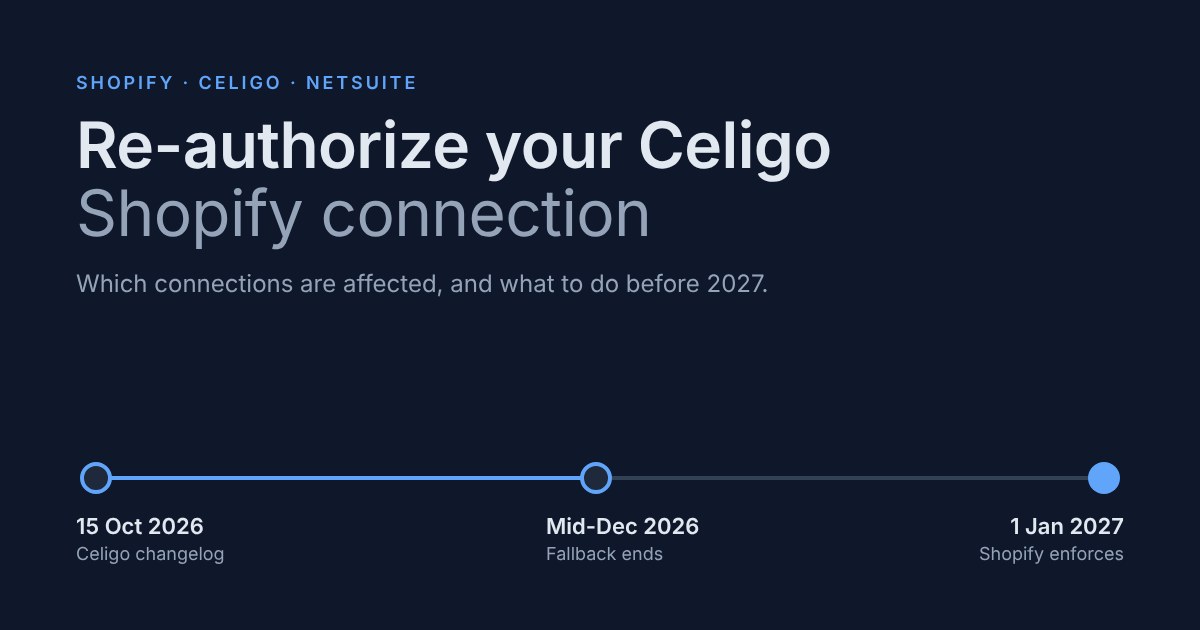
| Date | What | Source |
|---|---|---|
| Already in force | New public Shopify apps cannot use non-expiring offline tokens | Shopify |
| 15 October 2026 | Celigo: self-service Shopify OAuth connections use a customer-owned Shopify app; existing ones need re-authorization | Celigo changelog |
| 22 October 2026 | Celigo: Shopify connections in integration apps, such as Shopify–NetSuite, use expiring tokens. Eligible connections are migrated between 1 and 15 November 2026 | Celigo changelog |
| Mid-December 2026 | Celigo's public-app fallback for self-service connections ends. No exact day is published: not confirmed | Celigo changelog |
| 1 January 2027 | Shopify rejects GraphQL Admin API requests that carry a non-expiring offline token from an existing public app | Shopify |
Why Celigo made the change, in Celigo's words: Shopify's expiring token model supports only one refreshable token chain per app and store combination, so a shared app would put every customer on the same chain. An app that you own isolates yours.
One scope note from Shopify itself: the requirement does not apply to custom apps or apps created by merchants, and enforcement is on GraphQL Admin API requests.
Step 1. Which connection type do you have?
In integrator.io, open Resources > Connections and filter by Shopify. For each connection, note three things: what owns it, the auth type and the app type.
- Owned by the Shopify–NetSuite integration app. Celigo says these are unaffected by the customer-owned app change and remain on Celigo's public app. Note it and move on, apart from the one-account rule below.
- Self-service, OAuth 2.0, app type "Public app". Affected. Plan to re-authorize it against your own app (Step 2).
- Self-service, OAuth 2.0, app type "Custom app". Already on your own app. Check that it shows Online and that its scopes cover every flow that uses it.
- Token or Basic connections from a legacy custom app. These are not public apps, and Shopify says the change does not apply to custom apps. We can say "not affected by this change", and no more than that. Note that Shopify no longer lets new users create legacy custom apps, so Celigo's current guidance for new token setups starts from an app in the Shopify Dev Dashboard.
- Everything else that touches the store. Agency apps, middleware, scripts, reporting tools. Ask each owner one question: is it a public app?
The one-account rule. Shopify allows only one active token per store, so a store can be connected to the Shopify–NetSuite integration app from only one integrator.io account, in any region. Celigo's consolidation deadline for stores connected from several accounts was 20 October 2026. If you are in that position, or are not sure, contact your Celigo account manager now: Celigo says a store still connected from more than one account on 1 November is not migrated and stops working on 1 January 2027.
Step 2. How to re-authorize against your own Shopify app
This applies to self-service connections only. Celigo has the screen-by-screen guide (Set up an OAuth 2.0 connection to Shopify); this is the outline.
- Create the app. In the Shopify Dev Dashboard, create an app for your store. Set the scopes your flows use, release a version and install it on the store. Celigo's guide says to select at least
read_orders. - Copy the credentials. Take the Client ID and the Client secret from the app's Settings. Keep the secret in your password manager. Never paste it into a ticket, a chat or a document.
- Configure the connection. In Celigo, set Auth type to OAuth 2.0 and App type to Custom app. Add an OAuth 2.0 client with those credentials, choose the scopes, enter the store name and click Save & authorize. Celigo recommends API version 2026-10.
- EU accounts. Sign in with the EU Account option; signing in through the global portal can redirect you back to the sign-in page.
- Confirm that the connection shows Online.
- Match the scopes to the flows. If a flow touches orders, products, inventory, fulfilments or customers, the app needs the matching scope, or that flow fails with a permission error.
Can you switch an existing Public app connection in place? Celigo's OAuth article says it cannot: a connection configured as Public app cannot be re-authenticated as Custom app, while the reverse is possible. Celigo's changelog says existing self-service connections "need to be re-authorized against a local app". We could not reconcile the two sentences from the documentation alone, and we have not confirmed it with Celigo. Until you have, plan on the cautious path: create a new Custom-app connection, repoint the flows that used the old one, and ask Celigo support before you delete anything.
Step 3. A test plan before you rely on it
Start in a development or sandbox store, or on the lowest-risk connection. Celigo migrates integration-app connections between 1 and 15 November, "before the Black Friday/Cyber Monday period", and we would put your own self-service work in the same window: finish before mid-November, not in the week of the fallback cut-off.
After each re-authorization:
- Run each flow once by hand: orders into NetSuite, fulfilments and tracking back to Shopify, inventory, products and prices, refunds, payouts.
- Open error management and confirm it is empty for the flows you ran.
- Compare order counts for the same window in Shopify and in NetSuite.
- Check that webhook listeners still receive events.
- Switch on alerts, such as error emails and long-running-flow alerts, and watch them for the first week.
- Write down who owns the Shopify app, where the client secret is kept and what the rotation process is. Rotating the secret means re-authorizing.
One behaviour worth knowing: Celigo says a refresh token left unused for roughly 90 days expires, and the merchant then has to re-authorize the connection. A seasonal store or a paused flow can hit that.
Step 4. If a custom integration is a public Shopify app
This part is for the agency or in-house developer. Shopify's guide, Migrate to expiring offline access tokens, has the code. In short:
- Request expiring tokens by adding
expiring=1to the token exchange or authorization code request, or enable theexpiringOfflineAccessTokensflag in the Shopify app template. - Store the access token, the refresh token and both expiry values,
expires_inandrefresh_token_expires_in. - Refresh before
expires_inelapses, and always keep the newest refresh token that comes back. - Migrate installs that exist today with the token exchange migration flow, which needs no user session. It permanently invalidates the old token for GraphQL Admin API requests, so store the response.
- Handle a 403 whose message says non-expiring tokens are no longer accepted by re-authenticating, and a 401
invalid_requeston refresh by asking the merchant to reopen the app.
A missing scope also returns 403, so read the message before you decide which case you are in.
What breaks if you do nothing
| Situation | What happens | How sure we are |
|---|---|---|
| Self-service connection still on Celigo's public app | The route is a fallback until mid-December 2026. After that, expect the connection to stop authorizing. | The cut-off is Celigo's. The failure mode is not documented. |
| Store connected from more than one integrator.io account | Not migrated on 1 November, and the connection stops working on 1 January 2027 | Celigo changelog |
| Custom public app on non-expiring tokens | From 1 January 2027 Shopify returns 403 on GraphQL Admin API calls, and merchants lose access until they re-authenticate | Shopify |
If a connection stops, the symptoms are the ones you would expect from any dead connector: orders stop reaching NetSuite, fulfilments and inventory stop going back to Shopify, and finance finds gaps at the next reconciliation. This is the same failure we describe in SuiteCommerce vs Shopify for NetSuite as the cost of owning a connector: it fails quietly, and someone has to notice.
What we could not confirm
- The exact day in mid-December. Celigo gives no date.
- What Celigo does to a self-service connection that is still on the public app after the fallback ends.
- Whether an existing Public app connection can be switched in place, or needs a new connection (see Step 2).
- How Celigo's 27 October note, that its Shopify apps now issue expiring tokens, applies to self-service connections that are still on the public-app fallback.
- Whether Celigo's HTTP and REST Shopify connections behave differently from GraphQL ones.
We will update this page after mid-December and after 1 January 2027, and change the date at the top when we do.
Where Atypical Tech fits
We are an integration engineering firm in Spain and a Celigo and Stacksync partner. We inventory Shopify connections, re-authorize and test them, and move custom integrations to expiring tokens. See our NetSuite + Shopify integration page and how we work as a Celigo implementation partner.
Not sure which of your Shopify connections are affected? We will check them with you in 30 minutes.
Frequently asked questions
Do I have to re-authorize my Celigo Shopify connection?
Yes, if it is a self-service Shopify OAuth connection on Celigo's public app. As of 28 October 2026, Celigo says those connections now use your own Shopify app and keeps the public-app route only as a fallback until mid-December 2026. Connections that belong to the Shopify–NetSuite integration app are not part of that change.
Is the Celigo Shopify–NetSuite integration app affected?
Not by the customer-owned app change, per Celigo's 15 October 2026 changelog. Celigo migrates its connections to expiring tokens itself, between 1 and 15 November 2026, without a reinstall. The exception is a store connected from more than one integrator.io account, which is not migrated and stops working on 1 January 2027.
What happens on 1 January 2027?
Shopify starts rejecting GraphQL Admin API requests from existing public apps that present a non-expiring offline token. The response is a 403, and merchants lose access to that app until they re-authenticate. Custom apps and apps created by merchants are outside the requirement, according to Shopify.
Why does Celigo need me to have my own Shopify app?
Celigo says Shopify's expiring tokens allow only one refreshable token chain per app and store combination. A shared public app would put all customers on one chain, so a customer-owned app keeps your connection separate. This is Celigo's explanation, from its 15 October 2026 changelog.
Can I change a Public app connection to a Custom app connection?
Celigo's OAuth article says a connection configured as Public app cannot be re-authenticated as Custom app, so the safe plan is a new Custom-app connection and repointing your flows. Its changelog speaks of re-authorizing existing connections. We have not confirmed the exact path with Celigo, so check with support first.
How do I test after re-authorizing?
Run each flow once by hand, check error management, compare order counts between Shopify and NetSuite for the same window, confirm that webhooks still fire and set alerts for the first week. Do it in a development store first if you have one, and finish before mid-November.
What if an agency built our Shopify integration?
Ask whether it is a public Shopify app and whether it already requests expiring tokens with refresh. If it is a public app and does not, it has to migrate before 1 January 2027. If it is a custom app created for your store, Shopify says the requirement does not apply.
When is the Celigo deadline, exactly?
Celigo says "mid-December 2026" and gives no day, so the date is not confirmed. Plan to finish by mid-November, before Black Friday and Cyber Monday, and treat the December date as a fallback, not as the plan.
Book a Shopify–NetSuite connection check
We will list your Shopify connections, tell you which ones are affected and what we would do first, so the work is finished well before Celigo's mid-December cut-off.
Book a 30-min call · 30 minutes · No commitment · English, Spanish, Portuguese and Catalan
Related: all the systems we connect and our Celigo partner page.
About the author
Bruno Galo is the founder of Atypical Tech, an integration engineering firm in Spain that connects NetSuite with CRMs, e-commerce platforms and the rest of a mid-market company's systems. Atypical Tech is a Celigo and Stacksync partner.
LinkedIn: https://www.linkedin.com/in/brunogd
Sources
All checked on 28 October 2026.
- Celigo, Changelog (entries of 15, 22 and 27 October 2026) — https://docs.celigo.com/hc/en-us/articles/55197491098395-Changelog
- Celigo, FAQ: Shopify expiring offline access token migration — https://docs.celigo.com/hc/en-us/articles/56227117237915
- Celigo, Shopify–NetSuite integration app release notes, 2026.11.1 — https://docs.celigo.com/hc/en-us/articles/56774766500763
- Celigo, Set up an OAuth 2.0 connection to Shopify — https://docs.celigo.com/hc/en-us/articles/360038755451-Set-up-an-OAuth-2-0-connection-to-Shopify
- Celigo, Set up an OAuth 2.0 connection to Shopify in Shopify–NetSuite integration app — https://docs.celigo.com/hc/en-us/articles/12090736546331-Set-up-an-OAuth-2-0-connection-to-Shopify-in-Shopify-NetSuite-integration-app
- Celigo, Set up an HTTP connection to Shopify using a custom app — https://docs.celigo.com/hc/en-us/articles/47171304254875-Set-up-an-HTTP-connection-to-Shopify-using-a-custom-app
- Shopify, Migrate to expiring offline access tokens — https://shopify.dev/docs/apps/build/authentication-authorization/migrate-to-expiring-offline-access-tokens
Comments
No comments yet.
Leave a comment
Your comment will be reviewed before publishing.
Controller: Atypical Tech S.L. Purpose: to answer your enquiry. Legal basis: your consent. Rights: access, rectification, erasure and the others described in the policy, by writing to hello@atypicaltech.com.