


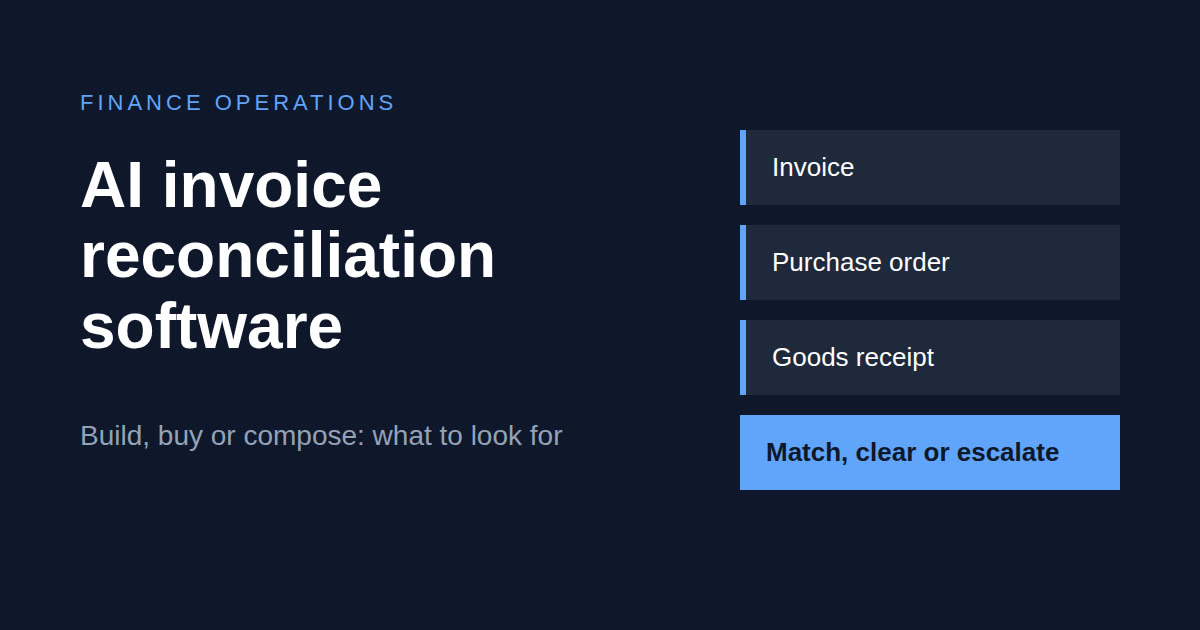
Short answer. AI invoice reconciliation software should do more than read PDFs. The useful bar is four steps: extract the invoice, match it to the purchase order and goods receipt in your ERP, clear it within tolerance or escalate a named exception, and write the result into the approval and payment path. You can buy an AP automation suite, compose an integration platform with an agent on synced ERP data, or build custom. Buy when layouts and match rules are standard. Compose or build when your ERP's match logic, multi-subsidiary rules or exception routing are the product, not the extraction demo.
- Buy when your ERP setup is standard, supplier layouts are stable and you want vendor-supported extraction and a match screen.
- Compose (integration platform plus agent) when you already run an iPaaS such as Celigo and the match has to follow NetSuite-specific controls.
- Build or partner-build when match rules are unusual, you run several entities, or per-document pricing punishes your volume.
What "AI invoice reconciliation software" actually means
Buyers and vendors use the phrase for three different layers, and most disappointment comes from mixing them up.
- Capture and extraction. OCR, an LLM or EDI turns a supplier document into structured lines. This is the layer most "AI invoice" demos sell.
- Match and reconciliation. The invoice is compared with the purchase order and, where you run three-way match, the goods receipt. Duplicates are caught and tolerances applied.
- Write-back and workflow. The result lands as a vendor bill in the ERP, approvals fire, a payment hold is set or released, and exceptions go to a queue with an owner.
Extraction is table stakes. If you are searching for software because the AP team drowns in exceptions at period end, you need layers two and three. A tool that only does layer one moves the typing from a person to a model and leaves the control exactly where it was.
Why AP teams still match by hand
Three-way match is easy to describe and expensive to run. Every invoice line has to agree with what was ordered and what was received, within a tolerance someone has to define. When volume rises, the match is the first thing to erode: teams fall back to header-level checks, approve on trust, or batch the work into the last days of the period.
The pain shows up in the same places each time: period-end spikes, near-duplicate invoices that slip through when a supplier changes the invoice number or date, price and quantity variances nobody has time to chase, and exception queues where an item says only "needs review". None of that is solved by better character recognition. It is solved by a matching step that knows your orders and receipts, and an exception that says what is wrong.
Three approaches: buy, compose or build
| Approach | What you buy or build | Fit signal | Main risk | Who owns it after go-live |
|---|---|---|---|---|
| Buy an AP automation or invoice SaaS | A product with extraction, a match screen and an ERP connector | Standard ERP set-up, stable supplier layouts, you want vendor-supported extraction and a ready interface | Thin NetSuite-specific match and write-back; seat and per-document pricing; exception logic sits inside the vendor | The vendor for the product, your team for configuration |
| Compose: integration platform plus an AI agent on synced data | Flows on a platform such as Celigo, plus an agent that reads your own PO and receipt data | NetSuite-centric controls, an iPaaS already in place, a wish to keep the match rules in your hands | Needs clean reference data; someone must own the flows and tune the agent | Shared between your team and the implementation partner |
| Build or partner-build custom | A purpose-built matching service and ERP write-back | Unusual match rules, multi-entity structures, industry documents, or volumes that make per-document SaaS pricing painful | Higher upfront effort; you own maintenance unless a partner retains it | You, or the partner under a support agreement |
Our own position is simple. We usually compose or partner-build agents on synced ERP data, using Celigo, Stacksync or a custom API. We do not resell an AP automation product, so when buying is the right answer we will say so. A standard setup with a stable supplier base is often well served by a suite, and building something custom to read PDFs is rarely worth it.
What to look for: an evaluation checklist
Use these ten points to score any option, including one you are thinking of building.
- Match depth. Two-way or three-way? Line level or header only? Are tolerances configurable by supplier, amount or item type?
- ERP write-back. Does it create or update vendor bills in NetSuite (or your ERP), with safe retries so a failed call never creates a second bill? A CSV export is a dead end.
- Exception quality. Does the item name the discrepancy (price, quantity, duplicate, missing PO), or just say "needs review"?
- Duplicate detection. Does it catch near-duplicates, such as a re-issued invoice with a changed number or date?
- Intake mix. Portal, email PDF, scan and EDI behave differently. Ask what tuning each one needs.
- Approval path fit. Does it sit ahead of your existing approvals, or fork a shadow workflow next to them?
- Auditability. Can you see who or what cleared an item, and on which version of the rules?
- Operational ownership. Who monitors the error queue, and who tunes false positives when a supplier changes layout?
- European mid-market reality. Multiple currencies, several subsidiaries, and invoices in more than one language.
- Exit and data. Can you export rules and exception history, and reconnect your own flows if you leave?
How an agent runs the control
Whatever you choose, the software has to do these five things in order. The table describes what good looks like, whether the logic is a product, a flow or an agent.
| Step | What happens | What good looks like |
|---|---|---|
| Capture | The invoice arrives by portal, email, scan or EDI | Every source lands in one queue with its origin recorded |
| Extract | Header and line data are read into structured fields | Low-confidence fields are flagged rather than guessed |
| Match | Lines are compared with the PO and the goods receipt in the ERP | Matching uses your live reference data, not a copy that has drifted |
| Evaluate | Differences are tested against tolerance and duplicate rules | The rule that fired is recorded with the result |
| Clear or escalate | Within tolerance, the bill is written back; otherwise a named exception goes to an owner | Nothing outside tolerance is approved automatically |
What this does well. It removes pure matching work, makes exceptions specific, and gives the AP team a record of why each item cleared.
Where it is honest about its limits. It does not settle disputes with suppliers, fix a purchase process that creates bad orders, or compensate for poor receipt entry. Match quality tracks the quality of the PO and receipt data. Start with conservative tolerances and widen them as the evidence builds up.
Decision framework: five questions
Work through these in order and stop at the first one that settles it.
- Is your ERP match logic standard? If yes, a suite probably covers it, and the answer leans buy. If your rules depend on NetSuite-specific records or custom fields, it leans compose or build.
- Do you already run an integration platform? If yes, the answer leans compose, because the flows and the credentials to your ERP already exist.
- How many entities, currencies and languages are involved? One entity and one currency leans buy. Several subsidiaries with their own rules lean compose or build.
- Who will own it after go-live? If nobody on your side can monitor queues and tune tolerances, favour buy or a partner that keeps running it.
- Does per-document pricing fit your volume? If it punishes you, it leans build or compose; if volume is moderate, buy stays attractive.
Coverage across ERPs and intake
The pattern is not tied to one system. The same sequence of capture, extract, match, evaluate and write-back applies on NetSuite, SAP, Dynamics and similar ERPs, though the connector, the records and the write-back details differ and need checking for each. We do not claim certifications we do not hold: our partner credentials are with Celigo and Stacksync, and we run agents on those platforms connecting capture to PO and receipt data in the ERP.
| Intake source | Typical behaviour | What to plan for |
|---|---|---|
| Supplier portal or EDI | Structured, consistent fields | Settles quickly; map the fields once |
| Email PDF | Variable layouts, some re-sent documents | Duplicate rules and confidence flags matter |
| Scan or photo | Lowest quality input | Expect more exceptions and more tuning |
Cost components
We do not publish ROI percentages or payback periods for this kind of project, because they depend on your volume, supplier mix and data quality. What you can compare across the three approaches are the components:
- software subscription or seats, for a bought product
- per-document or per-transaction fees
- integration platform licences, for a composed solution
- implementation and configuration
- ongoing monitoring and tuning of rules
- human time spent on exception review
Ask every option to price all six, and ask for a scoped estimate against your own invoice volume rather than a generic range.
Frequently asked questions
What is AI invoice reconciliation software?
It is software, or an agent pattern, that extracts invoice data, matches it to the purchase order and goods receipt, applies tolerances, and clears or escalates each item. The useful versions also write the result into the ERP accounts payable path rather than stopping at a report.
How does AI automate invoice reconciliation?
It runs the match continuously. It extracts the invoice lines, fetches the matching references from the ERP, compares them, and clears anything inside tolerance. Anything outside tolerance goes to a person as a named exception, such as a price difference or a missing PO.
Should we build or buy AI invoice reconciliation software?
Buy when your process and ERP match are standard. Compose an integration platform with an agent, or build, when match rules, NetSuite write-back or exception routing are the hard part. Extraction alone rarely justifies a custom build.
Is OCR enough?
No. OCR or LLM extraction without ERP matching and write-back moves the typing but does not run the control. The reconciliation happens in the match and the exception handling.
Does this replace the AP team?
No. It replaces the pure matching work. Judgement, supplier disputes and fixing the process that created the exception stay with people.
What happens if the match is wrong?
Nothing outside the configured tolerance should be approved automatically. Start with conservative tolerances, review what clears, and widen the limits only as evidence supports it.
Will it work with NetSuite?
Yes, when PO and receipt data is consistent and write-back to vendor bills and approvals is part of the scope. Match quality follows the quality of your reference data.
How is this different from bank reconciliation or marketplace settlements?
Invoice reconciliation matches supplier bills to purchase orders and receipts. Bank reconciliation matches cash movements, and marketplace settlements match payout files to orders and fees. They are related but different problems, covered in the bank reconciliation agent and the marketplace settlements gap.
How long until the auto-clear rate is stable?
It depends on the intake mix and the data. Portal and EDI intake settles faster than mixed PDF and scan intake, and untidy PO and receipt entry caps the rate. We would rather scope it against a month of your own exceptions than quote a number.
Who implements this for mid-market teams in Europe?
Atypical Tech: integration engineers based in Spain, Celigo and Stacksync partners, working in English, Spanish, Portuguese and Catalan, building agents on synced operational data.
Closing — Next steps
If you are comparing options, start by logging one month of invoice exceptions by type and the time each took to resolve. That tells you whether your problem is extraction, matching or exception handling, and which of the three approaches fits. For a structured look at where an agent would help, book a 30-minute call or take the AI readiness assessment. To see how agents hand work to people, read agent handoffs and how to measure an AI agent. Our Celigo and Stacksync partner pages describe the platforms we build on, and integrations lists the systems we connect. If period-end is the pressure point, the five-day close is the related read.
About the author
Bruno Galo is the founder of Atypical Tech, a NetSuite consultancy serving mid-market clients across Iberia. He specializes in connecting CRM and ERP systems for seamless order-to-cash workflows, building automated order management pipelines that eliminate manual data entry between sales and finance teams. As an official Stacksync implementation partner, Bruno designs and deploys AI agents on integration platforms to handle exception routing, document processing, and reconciliation — turning fragmented order flows into reliable, self-monitoring systems.
LinkedIn: https://www.linkedin.com/in/brunogd
Sources
- Oracle NetSuite, vendor bill and purchase order documentation — https://docs.oracle.com/en/cloud/saas/netsuite/
- Celigo integration platform documentation — https://docs.celigo.com
- Atypical Tech engagement experience, mid-market finance automation across Iberia
Comments
No comments yet.
Leave a comment
Your comment will be reviewed before publishing.
Controller: Atypical Tech S.L. Purpose: to answer your enquiry. Legal basis: your consent. Rights: access, rectification, erasure and the others described in the policy, by writing to hello@atypicaltech.com.